Ask most freelancers how much they are owed and you get a pause, then a scroll through email. That pause is the problem. A freelance cash flow dashboard exists to end it — so you can track outstanding income, see unpaid invoices, and plan the week without opening five “FINAL” spreadsheets.
This use-case guide is for freelancers, consultants, and lean studios who need cash flow management for freelancers that fits real client work. You will learn what belongs on a dashboard, how to track paid vs unpaid freelance invoices easily, step-by-step setup methods, and how to manage pending client payments manually without living in Excel.
Search intent is informational with a light commercial edge: people want how to track freelance cash flow without excel, then a simple tool only when the workflow is clear.
What is a freelance cash flow dashboard? (Direct answer)
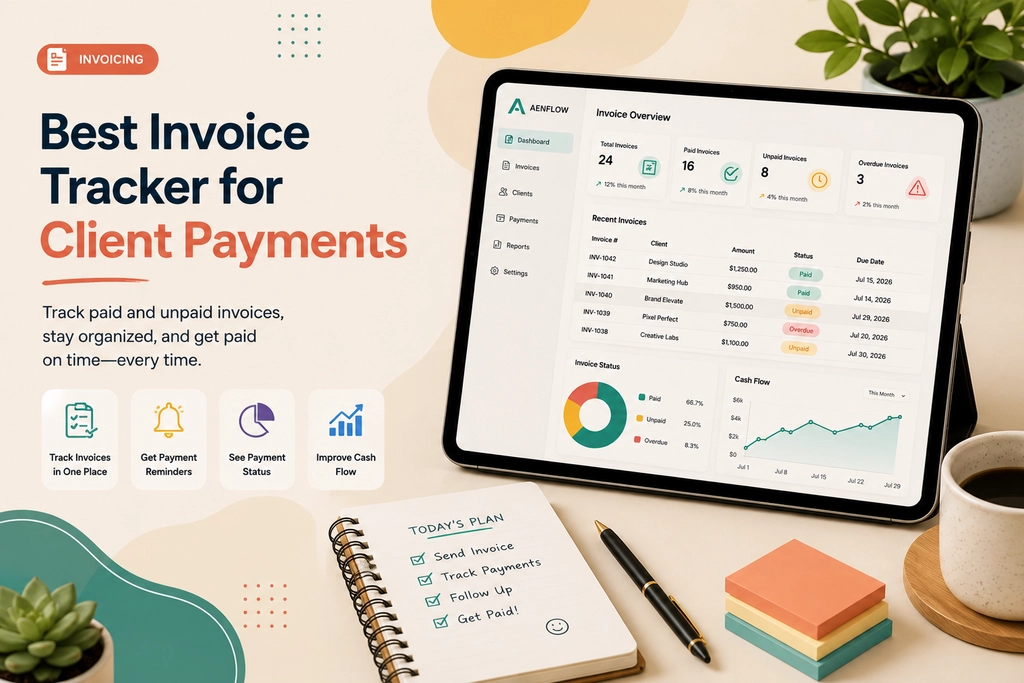
A freelance cash flow dashboard is a single view that shows monthly freelance revenue (money cleared), pending income tracking (invoices sent but not due or not yet paid), and overdue outstanding client payments. It is a freelance income tracker plus an unpaid invoices dashboard — not a vanity analytics wall.
- Paid: funds cleared this period
- Pending: invoiced, waiting on due date or payment
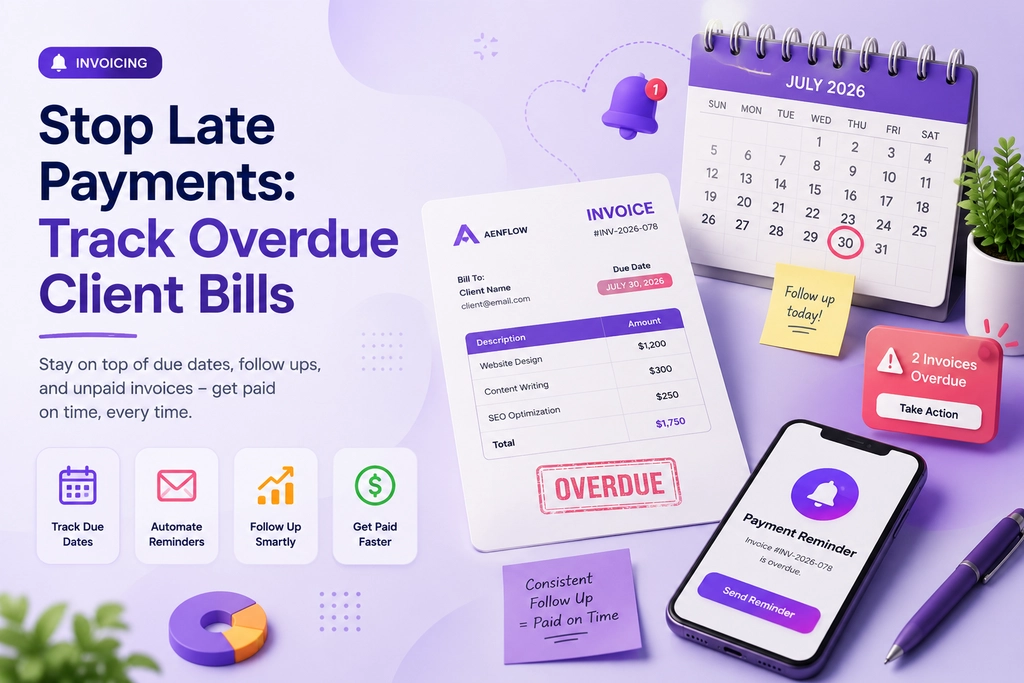
- Overdue: past due, still unpaid
Why freelancers need freelancer revenue analytics that stay simple
Corporate dashboards obsess over twelve KPIs. Freelancers need fewer freelance business metrics that answer money questions:
- What cleared this month?
- What is still outstanding?
- Which clients are late — again?
- Can I cover next week’s expenses from Pending + Paid?
Insight: If your “analytics” cannot list the three oldest unpaid invoices in ten seconds, you do not have a dashboard. You have decoration.
Outstanding income that sits invisible turns into the stress covered in cash flow problems for small business — even when your calendar looks full.
How to use a freelance cash flow dashboard (core method)
Here is the best way to monitor freelance outstanding income without building a finance department.
Step 1: Put every invoice on a status
- Create or log each invoice under the right client
- Set due date and amount
- Set client payment status: Pending, Overdue, or Paid
- Update status the day money clears — not when someone “says they paid”
Invoice status monitoring is the raw feed for any unpaid invoices dashboard. No status, no truth.
Step 2: Build three views (your real dashboard)
- Paid this month: monthly freelance revenue at a glance
- Pending: pending income tracking sorted by due date
- Overdue: dashboard to track unpaid client invoices by age
That trio is a simple freelance dashboard for revenue tracking. Charts are optional. These filters are not.
Step 3: Run a weekly cash ritual
- Open Overdue — chase oldest first
- Open Pending due in 7 days — send heads-ups if useful
- Sum Paid + Pending + Overdue
- Compare the sum to upcoming expenses
- Note any client who slipped to Overdue twice
Example: A remote copywriter blocked Fridays 9:00–9:20 for this ritual. Within a month they stopped guessing how to see outstanding payments from clients — the Overdue filter answered in one click.
How to track freelance cash flow without Excel
Excel can be a simple cash flow tracker until partial payments, multiple clients, and version wars appear. Freelance cash flow spreadsheet alternatives work when they keep the same logic: statuses + due dates + client ownership.
- One record per invoice (never “miscellaneous income” blobs)
- Statuses you update manually and consistently
- Client linked to every line so outstanding client payments roll up
- A home-screen view for Pending and Overdue — not buried sheets
Notion is fine for SOPs and Friday checklists. It is weaker as a live freelance income tracker when you need fast invoice status monitoring across many accounts.
For freelancers who want that view without spreadsheet glue, Aenflow is a simple, zero-setup workspace to track task hours, organize clients, and manually set invoice statuses to Paid, Pending, or Overdue in a clean dashboard — useful when you want to visualize freelance income and pending invoices next to the work that created them. It does not auto-generate invoices from timers; you stay in control of what gets billed and when. Explore freelancer workflows and invoice management if that matches your setup.
Method: Track paid vs unpaid freelance invoices easily
People overcomplicate track paid vs unpaid freelance invoices easily. Use binary honesty plus one middle state:
- Paid = cleared funds matched to the invoice
- Pending = sent, not overdue (or awaiting a known pay date)
- Overdue = past due date, balance remains
Partial payments: keep the invoice Pending or Overdue with a reduced balance — do not mark Paid early. That single rule keeps freelancer revenue analytics honest.
Deepen the ledger habits with paid and unpaid invoice tracking, and tighten chasing with how to stop late payments.
Method: How to manage pending client payments manually
How to manage pending client payments manually is a cadence, not a personality trait:
- Twice weekly: open the unpaid invoices dashboard
- Send the next reminder on your ladder (no improvising under stress)
- Log the next follow-up date on the invoice or client note
- Escalate or pause work when Overdue ages past your written limit
- Move to Paid only after reconciliation with bank/processor
Example — consultant on retainers: Pending income looked healthy every month, but Overdue hid one client at 18 days late. The dashboard made the pattern obvious; deposit terms changed before the next cycle.
Freelance business metrics worth putting on the dashboard
Keep freelancer revenue analytics boring and useful:
- Cleared revenue (MTD): Paid invoices this month
- Outstanding income: Pending + Overdue totals
- Overdue count & oldest age: risk signal
- Top late clients: who trains you to wait
- Hours logged vs invoiced intent: are you billing the work you tracked? (still a manual decision)
Skip vanity graphs until these five stay accurate for a month. Cash flow management for freelancers rewards truth over theater.
Use case scenarios
Solo designer: Simple cash flow tracker with three status filters. Friday ritual visualizes freelance income and pending invoices before weekend planning.
Developer with milestones: Each milestone invoice stays Pending until clearance; partials update balance. Outstanding client payments no longer hide in Slack “sent!” messages.
Two-person studio: Shared unpaid invoices dashboard; one owner reviews Overdue every Tuesday. Freelance business metrics become shared facts, not competing memories.
Best practices for a freelance income tracker
- Update status the same day money moves
- Review Overdue before checking vanity “revenue” charts
- Keep due dates on every invoice
- Reconcile Paid vs bank weekly
- Tag repeat late payers on the client record
- Compare outstanding income to upcoming expenses every Friday
Common mistakes on unpaid invoices dashboards
- Calling pipeline “cash”: proposals are not Pending invoices
- Marking Paid from screenshots: wait for cleared funds
- No Overdue view: aging hides inside one big list
- Spreadsheet month tabs: breaks how to track freelance cash flow without excel discipline
- Ignoring Pending until it is Overdue: prevention dies
- Too many metrics: you stop opening the dashboard
A 30-minute setup plan
- List all open invoices from the last 90 days
- Assign Paid / Pending / Overdue honestly
- Add missing due dates
- Create saved views or filters for the three statuses
- Block a weekly 20-minute cash ritual on the calendar
- Write your reminder ladder in Notion once, reuse forever
After setup, the freelance cash flow dashboard only works if you open it. Ritual beats redesign.
Connect hours to cash decisions (without auto-billing myths)
Tracked hours tell you what was worked. Invoice statuses tell you what was billed and paid. Mixing those ideas creates false confidence: a busy week is not the same as monthly freelance revenue in the bank.
Use hours to decide what should become an invoice this week, then create and status that invoice yourself. Pending income tracking stays accurate when billing remains a deliberate step — especially useful for fixed projects where timers are for learning your rate, not for auto-generated bills.
Pattern interrupt: If your dashboard only celebrates hours logged, you are managing effort. If it highlights Overdue and Pending, you are managing cash. Freelancers need the second more than the first.
When hours and invoice statuses live beside the same client record, Friday reviews get faster: you see who you worked for, what is still Pending, and which Overdue balances need a chase — without exporting three tools into one fragile sheet.
FAQ
Quick answers on freelance cash flow dashboards, outstanding income, and unpaid invoice views:
What is a freelance cash flow dashboard?
A freelance cash flow dashboard is a simple view of money in, pending income tracking, and overdue balances — usually built from invoice status monitoring (Paid, Pending, Overdue) plus due dates. It replaces hunting through email for outstanding client payments.
How to track freelance cash flow without Excel?
Keep every invoice under a client with a status and due date, then use filtered views: Paid this month, Pending, Overdue. That dashboard to track unpaid client invoices beats rebuilding month tabs in a spreadsheet.
What is the best way to monitor freelance outstanding income?
Sum Pending + Overdue weekly, list the oldest unpaid invoices first, and update status the day funds clear. Best way to monitor freelance outstanding income is a ritual — not a prettier chart.
Can solopreneurs use a simple freelance dashboard for revenue tracking?
Yes. Three numbers matter most: monthly freelance revenue (Paid), pending income, and overdue total. Add client payment status filters and you have a simple cash flow tracker without enterprise analytics.
How do I see outstanding payments from clients quickly?
Filter your unpaid invoices dashboard by Overdue, then Pending sorted by due date. How to see outstanding payments from clients should take under two minutes if statuses are current.
Are freelance cash flow spreadsheet alternatives worth it?
When you juggle many clients or partial payments, yes. Spreadsheet alternatives help when you want clients, hours, and manual invoice statuses in one place — without turning Excel into a fragile mini-ERP.
Conclusion
A freelance cash flow dashboard earns its keep when it shows cleared revenue, pending income tracking, and overdue outstanding client payments in one glance. Build three status views, run a weekly ritual, and track paid vs unpaid freelance invoices easily without spreadsheet archaeology.
Do that and cash flow management for freelancers becomes a short Friday habit — not a monthly panic. Outstanding income stops being a mystery; it becomes a list you can act on.
If you want clients, task hours, and manual Paid / Pending / Overdue statuses in one simple dashboard, try Aenflow or browse invoicing guides and client management.